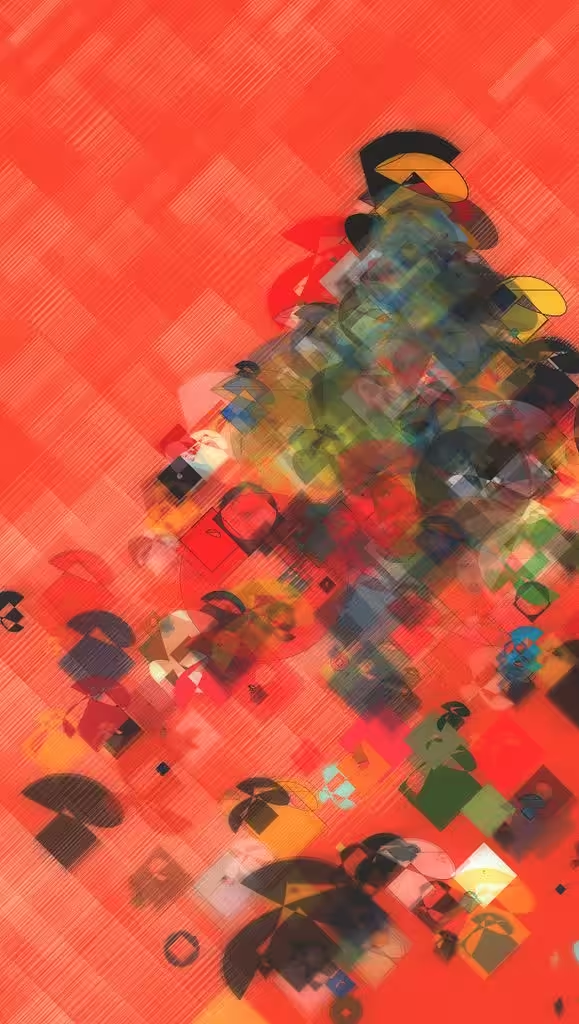
pieces: rectilinear and curvilinear paths controlled by sine waves and noise coloured in a semi-random manner over a red field of pixels
rectilinear and curvilinear paths controlled by sine waves and noise coloured in a semi-random manner over a red field of pixels: a tribute to Herbert W. Franke by Marcelo Soria-Rodríguez.
Released on the occasion of the Tribute to Herbert W. Franke.
The notion of "multiple-level model", that Herbert W. Franke talked about when describing some of his work, is something that is very present in my work. From the basic notion that we perceive different things, typically more developed, building on the maturation of the previous perception/reaction to a piece, I try to include elements that will allow an observer / experimenter to find literally multiple levels which will then unfold in expanded interpretations in subsequent contacts with the piece. In this regard, besides what is present in a still from the work, my works sometimes include motion, in a deliberate attempt to break the notion that the artwork is what a given image may represent. The artwork is both the whole collection of frames in an animation, which are never going to be the same, and also any given instant into the animation. As time passes by, the artwork takes on different configurations, showing or hiding different elements that make up the entirety of this given artwork total space of possibilities. There is still another extra layer or dimension: I have included in previous works an "extra life", an extra "game level" or any other metaphor you can think of: a way to peek into an alternative representation of the same material, but with some changed characteristics. In this case, the shapes that are displayed are distortions of a square and a circle. What if you ask the work to show you the "pure" representation? I leave it to the experimenter to look for it.
Controls:
-
Press v followed by 1-9 to switch between different collections of objects to be displayed. The artwork will anyway dynamically alter the composition, displaying different sets of objects. Press v followed by 0 to reset the artwork and display all possible objects.
-
Press d followed by 1-9 to increase pixel density (resolution) by that amount. Press d 0 to reset.
-
Press s to save an image in the current resolution.
-
Find your pure mode to look at things.
-
Press l to stop the animation, l to restart it (l stands for loop)
-
Colour/image controls: press z for brightness, x for contrast, g for gamma, b for blur, n for noise followed by + or - to alter their values. You might get some simple variations that you might enjoy. Press a to enable/disable all colour controls (except the noise).
Artwork by Marcelo Soria-Rodríguez. Made with p5js. Interactive artwork, aspect ratio 1:1.77.